Free · offline · no account
Tap to log every sighting, navigate the whole park with no signal, and carry a field guide to 360+ animals in your pocket. Built for the road between camps — where the cell coverage runs out and the good stuff begins.
No ads. No tracking. No sign-up. Works on any phone.
What it does
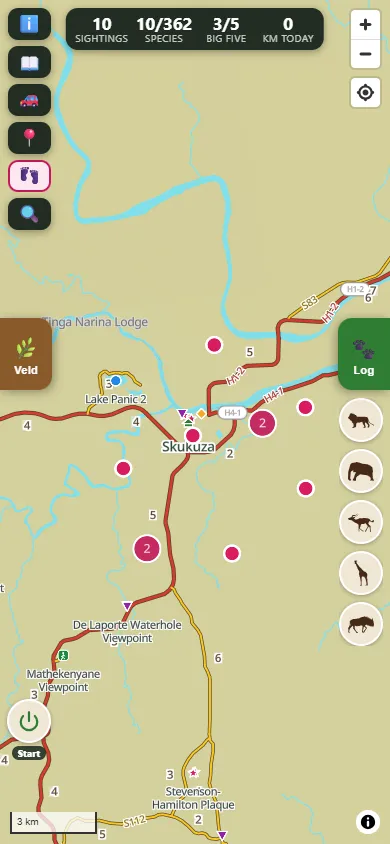
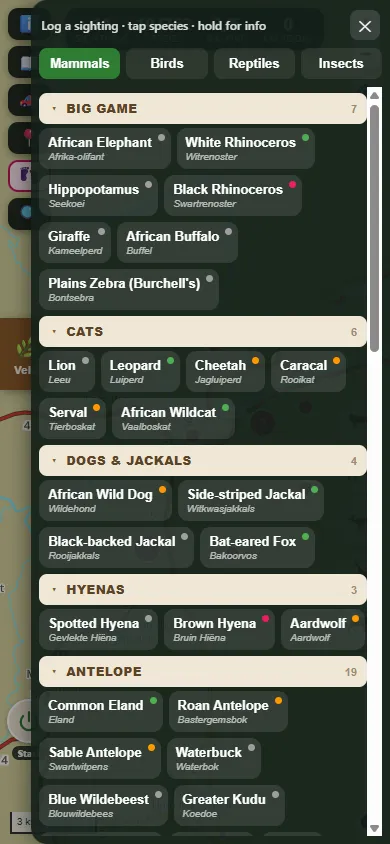
See something? One tap logs the encounter with time and place, and builds your safari life list as you go. A herd of impala is one tap — no fiddly forms. First of a species? You get a little lifer celebration.
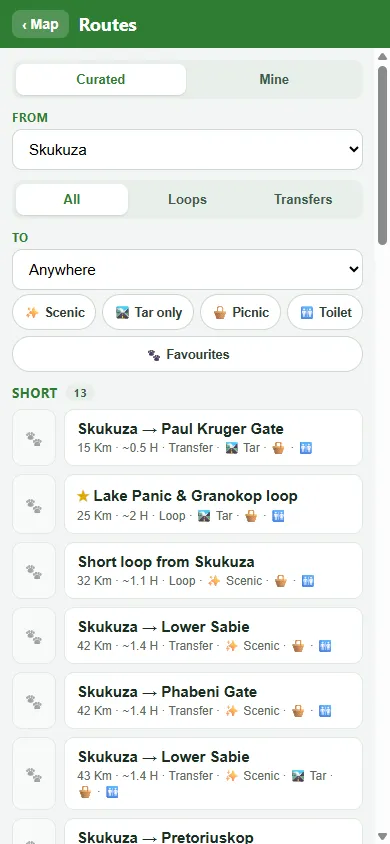
The whole park map, roads, camps and waterholes — cached on your phone. Plan a drive, follow turn-by-turn, and watch the gate-close countdown, all with no signal.
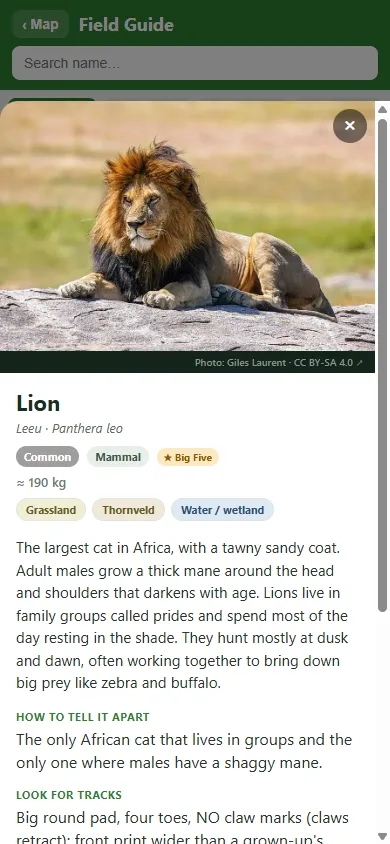
Mammals, birds, reptiles and more — each with photos, calls to listen for, ID tips and where to find them in Kruger. Big Five and Little Five tracked automatically.
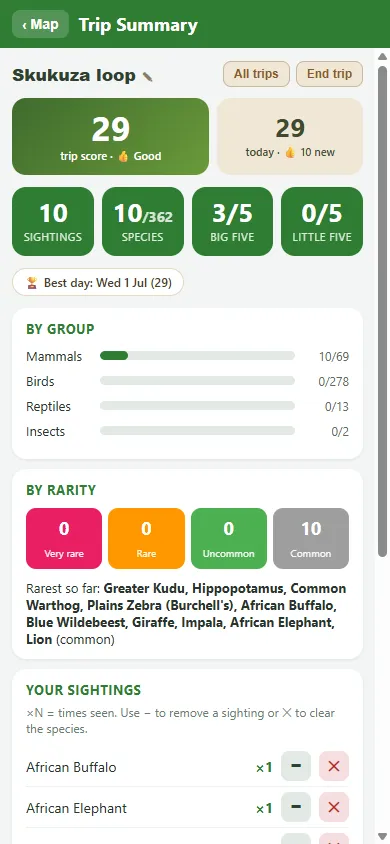
Every drive becomes a trip with its own dashboard — species seen, best day, streaks, distance driven and a playful score. Compare trips and crown your champion.
Made for no signal
Save the map and photos once on WiFi, then leave the coverage behind. The map, your route, the field guide, animal photos and calls all live on your phone — so the app is at its best exactly where your signal isn't.
Genuinely free
No ads, no tracking, no account, no data leaving your phone. Your sightings and trips are stored on your device — you can back them up and move them yourself whenever you like. If the app makes your trip a little better, you're welcome to buy us a coffee — but there's no pressure at all.
Tip: once it's open, use your browser's “Add to Home screen” to install it like an app.
 MyKrugerHoliday